Walk into any studio along Király utca on a grey November afternoon and you'll likely find at least one painter squinting at a phone screen before they ever touch a brush. Not because the muse has gone quiet, but because the light outside is flat, the stretched linen is still blank, and an hour spent generating a dozen rough compositions on a tablet can save three hours of indecisive underpainting later. AI image generation has quietly become something like a digital sketchbook for a growing number of working painters in Budapest and elsewhere, used the way earlier generations used thumbnail drawings in the margins of a notebook. This isn't about replacing drawing skill or outsourcing creativity. It's about using a fast, cheap, disposable tool to test an idea before committing good canvas, good pigment and a free Saturday to it. The workflow below is one that several painters working out of shared studios in District VII and District IX have settled into over the past two years, adjusted here into something any painter, anywhere, can try.
Why some painters still sketch with AI
Traditional thumbnailing with pencil has always served one purpose: cheap failure. You draw six tiny compositions in five minutes, throw out four, and only the strongest ideas survive to full scale. AI generation does the same job faster, especially for painters working in representational or narrative styles where compositional problems, like where the light falls or how many figures the eye needs, are expensive to discover halfway through a painting. A painter working on a series about the flooded cellars of the 2013 Danube high water, for instance, used an image generator to test fifteen different vantage points, candlelight from the left, a doorway flooded to the knee, a staircase seen from below, in under twenty minutes. Only two of those compositions made it to canvas. Sketching those fifteen by hand would have taken an afternoon she didn't have before a gallery deadline. The appeal is speed and volume, not quality. A generated image is rarely something you'd want to paint directly from. It's something you look at, reject most of, and learn from.
The difference between a thumbnail and a template
This distinction matters more than most tutorials admit. A thumbnail is a rough idea you interpret, redraw and reinterpret with your own hand. A template is something you trace or copy closely. The first keeps you as the author. The second turns the painting into an illustration of someone else's (or some model's) visual decision-making. Painters who get uneasy about AI in the studio, and plenty do, are usually reacting to template use: generating a finished-looking image and then painting a faithful copy of it, brushstroke for brushstroke. That's a different activity from what's being described here, and it raises real questions about originality that are worth sitting with honestly rather than brushing aside. A rough rule some studios use: if you could hand your generated reference to three different painters and get three visibly different finished paintings back, you used it as a thumbnail. If all three would produce near-identical canvases, you used it as a template.
| Thumbnail use | Template use |
|---|---|
| Testing composition, light direction, figure placement | Copying exact color, texture, brushwork implied by the AI image |
| Generating many rough variants quickly | Generating one polished image and matching it closely |
| Redrawing the idea by hand before painting | Painting directly over a printout or projection |
Setting up a low-stakes idea stage
The setup matters less than the mindset, but a few practical choices make the habit stick. First, keep the resolution low and the session short. There's no reason to generate a 4K image when you're testing whether a figure should stand left or right of a window; a quick, rough result at low resolution is enough to judge composition and value structure. Second, give yourself a hard limit, something like fifteen generations or fifteen minutes, whichever comes first. Painters who skip this step report losing entire mornings to "one more variation," which defeats the purpose of a fast idea stage. Third, write prompts the way you'd describe a scene to another painter standing next to you, not the way you'd write marketing copy. Something like: "a woman at a kitchen window, late afternoon light from the left, half the room in shadow, view from behind her shoulder." Specific light direction and viewpoint matter more than style words like "painterly" or "atmospheric," which tend to produce vague, generic results anyway. Fourth, save everything to one folder per project, even the failures. Rejected compositions sometimes become useful six months later for a different piece, the way a discarded sketchbook page sometimes gets revisited.
A four-step workflow from prompt to canvas
The following sequence has worked reliably for painters moving between figurative and landscape work, though the proportions of time spent on each step will shift depending on subject matter.
- Generate broad variants. Write one prompt describing the scene's core idea, then generate eight to twelve images without changing the wording. Look only at composition and value pattern at this point, not detail, color accuracy or anatomy, which AI tools still handle inconsistently.
- Narrow to two or three. Pick the ones that solve a real compositional problem, usually something about balance, eye movement or negative space, and discard the rest without second-guessing. This step should take minutes, not an hour.
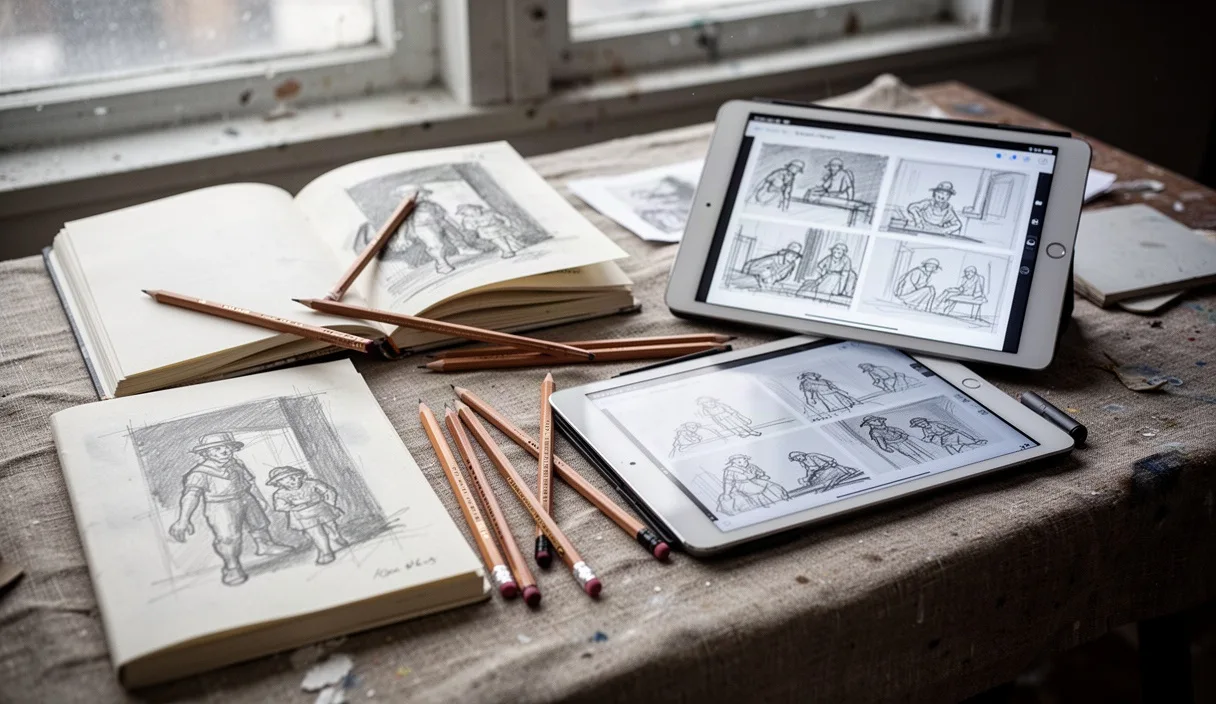
- Redraw by hand. Sketch each surviving option on paper or a tablet in your own line, your own proportions, correcting whatever the AI got wrong, which in figure work is often hands, feet and the logic of folded fabric. This is the step that keeps authorship with you rather than the algorithm.
- Build a working reference sheet. Combine your redrawn composition with separate photo references for color, texture and specific details, lit and shot yourself if possible, or pulled from your own archive. The AI image supplies structure; everything else that makes a painting feel alive and specific comes from elsewhere.
One painter working in oil on linen near the Nagykörút describes this as "borrowing a layout, not a painting." The AI never touches the canvas; by the time paint goes on, the image in front of her is mostly her own drawing with notes.
Keeping your own hand visible in the final piece
The biggest risk with this workflow isn't ethical in the abstract sense, it's practical: paintings built from AI-generated starting points can end up looking flat, generic or strangely similar to each other, because the tools tend to default toward certain compositions, lighting setups and color harmonies regardless of what you ask for. A few habits counter this. Change at least one major element between the generated reference and the final painting, a different time of day, a different season, a different object in a figure's hands. This forces a real decision rather than passive copying. Work from life or from your own photography for every surface that will carry the painting's texture: skin, fabric, weathered wood, water. AI-generated surfaces tend to be smooth and slightly wrong in ways that read as uncanny once rendered in paint at full scale. Finally, paint the underdrawing loosely and from memory of the reference rather than tracing it directly. A painter who sketched a street scene near Blaha Lujza tér using an AI-generated composition as a starting point reported that by the time she'd redrawn it three times, by hand, from memory, then corrected again at the easel, almost nothing of the original image's specific shapes remained. What stayed was the idea: a figure crossing diagonally against a line of tram tracks.
When to skip this stage entirely
This workflow suits certain situations better than others, and it's worth being honest about when to leave it aside. Plein air painting doesn't benefit from it; the whole point is responding to light and weather that change minute to minute, something no generator can predict for a specific Tuesday afternoon in October. Portrait commissions involving a real, living sitter should rely on photographs or sittings of that actual person, not an AI approximation of "a person," since the resemblance and the ethical obligation to the sitter both depend on working from reality. Painters early in developing a personal visual language may also want to avoid leaning on this tool too early. Composition sense, the instinct for where a line should go, builds through repeated hand practice, and skipping straight to AI-assisted layouts can quietly delay that development. A painting teacher or mentor is better positioned than any article to judge when a specific student is ready to add this tool to their process.
Common mistakes
The most frequent misstep is generating one single image and treating it as finished, skipping the redraw-by-hand step that keeps the final painting personal. Close behind is spending too long in the generation stage itself, treating it like an art form in its own right rather than a fifteen-minute triage tool. Some painters also forget to vary their own color and texture research, letting the generator's default palette (often a particular warm-cool contrast many tools favor) bleed straight into the finished canvas without question.
Getting started this week
If this workflow is new to you, try it on a small, low-pressure piece first, something no larger than 40 by 50 centimeters, before applying it to a major commission. Set a real timer for the idea stage. Keep your sketchbook open beside the screen and redraw whatever you choose to keep. And if a painting starts to feel like it was made by the machine rather than through it, that's usually a sign to step back, close the laptop, and let the next hour belong entirely to the brush.